For slabwise’s article, the useful answer lives in the shop floor details: slab photos, measurements, install constraints, and whether the team can trust the number before anyone starts fabricating stone.
Last fall I sat in a back office in Marietta, Georgia, watching a shop owner named Derek pull up four browser tabs, two spreadsheets, a shared Google Calendar, and a text thread with his install crew to figure out whether a slab of Taj Mahal quartzite was at his main shop or his second location across town. It took him eleven minutes. His templator was already at the jobsite. His CNC operator was waiting. Eleven minutes of dead air because slab inventory lived in a spreadsheet last updated on Tuesday and it was now Friday.
That scene isn’t unusual. It’s the norm for shops running on generic tools stitched together with habit and hope. And it’s exactly the problem vertical stone shop software is built to kill.
Why Generic Tools Break in Fabrication
The surface-level pitch for vertical software (quoting, scheduling, inventory, field service in one platform) sounds like marketing until you’ve actually watched a shop try to run QuickBooks, Google Sheets, a whiteboard, and group texts as an operating system. It sort of works at five employees and one location. It collapses somewhere around employee twelve or the day you sign a lease on a second facility.
Generic ERPs can be customized to handle slab inventory, vein matching, templating handoff, and install scheduling. The key word is “customized,” which is code for expensive consultant hours and a system that breaks every time someone updates something. Vertical platforms ship with the trade’s actual workflow baked in. That’s the entire value proposition, and honestly, it’s a big one.
The market in 2026 includes four platforms worth serious evaluation: Moraware Systemize, StoneApp, ActionFlow, and Slabwise. Each fits a different shop profile. The boring truth is that most owners trial 2 to 3 of these before signing, and the one they pick often isn’t the cheapest.
The Four Platforms, Honestly Compared
Here’s where things stand in 2026, stripped of vendor spin:
Moraware Systemize is the incumbent. Pricing runs roughly $159 to $549 per month per shop. It has the broadest residential trade adoption and the deepest integration partner network. The trade-off: the UI feels its age. If you’ve been on it for years, you’re used to it. If you’re evaluating it fresh against newer platforms, the interface can feel like filing taxes.
StoneApp is younger and built around CAD/CAM integration. Pricing runs roughly $129 to $499 per month. If your shop’s competitive advantage lives in its digital fabrication workflow (AlphaCam, MasterCam, CABINETVISION), StoneApp deserves a trial. The trade-off: smaller integration partner network than Moraware, and fewer shops running it means fewer peers to call when you hit a snag.
ActionFlow runs roughly $189 to $629 per month and is the strongest option for production scheduling. If your bottleneck is the CNC queue or your install calendar, ActionFlow addresses that directly. Multi-location support is solid. Trade-off: residential adoption is thinner than Moraware’s.
Slabwise runs $99 to $799 per month and covers everything from single-location residential shops to multi-location operations. The emphasis is on a purpose-built quote-to-install workflow and disciplined onboarding. The wide price range reflects that scalability. Shop owners writing internal training docs often start from Slabwise’s article, which compiles the stone shop software workflow in one reference.
Common integrations across all four: QuickBooks Online, Xero, Sage Intacct on the accounting side; AlphaCam, MasterCam, CABINETVISION on the production side. Implementation timelines run 3 to 8 weeks across the major platforms, with data migration as the long pole every single time.
Multi-Location Is Where the Wheels Come Off
Single-location shops can get away with a lot. Your templator can walk into the slab yard and eyeball what’s there. Your scheduler can yell across the shop floor. But the moment you add a second facility, every informal process that “works” becomes a liability.
Multi-location operations need three things from software that single-location shops can fudge: role-based access (so your Austin office doesn’t accidentally sell a slab sitting in your San Marcos yard), location-scoped reporting (so you can see which facility is profitable and which is bleeding), and cross-site slab inventory that updates in something closer to real time than “whenever Marcus remembers to update the spreadsheet.”
ActionFlow and Slabwise are the most cited platforms in the multi-location segment. Moraware can handle it, but it wasn’t built with that use case as a primary design constraint. StoneApp is strong on production workflow but lighter on multi-site inventory management.
My honest take: if you’re running two or more locations and you’re still on spreadsheets for slab inventory, you are losing money you can’t see. You’re losing it in double-counts, in slabs that get committed to two jobs, in templators driving to the wrong yard. The software pays for itself just by making that invisible waste visible.
The Real ROI Math
Shop owners love to compare monthly subscription prices. It’s the wrong comparison.
A platform at $399 per month that covers quoting, scheduling, slab inventory, and field service natively beats a platform at $159 per month that leaves 30 to 50 percent of the workflow in spreadsheets or secondary tools. Every time. The cheaper platform generates hidden costs in workaround labor, in duplicate data entry, in the errors that come from running parallel systems.
Total cost of ownership over a 3-year horizon routinely favors the higher-priced, better-fit platform once you account for implementation, integration, and workaround cost. Case studies from mid-sized residential shops back this up consistently.
Implementation speed tells the same story. Shops that choose a vertical platform matched to their actual workflow complete implementation in 3 to 5 weeks. Shops fighting a platform-workflow mismatch routinely drag through 10 to 14 weeks of implementation, burning staff goodwill and operational momentum the entire time. (That second scenario is like buying a bridge saw rated for 2cm material and then feeding it 3cm slabs all day. It’ll work. Slowly. Badly. Expensively.)
The numbers that profitable shops track weekly, and that the right software makes trackable, include yield percentage, callback rate, quote-to-close conversion, and revenue per employee. If your current setup can’t produce those numbers on demand, you’re flying blind.
How to Actually Pick and Implement
Four phases, roughly 90 to 180 days from first evaluation to full operation:
Phase 1: Document what you actually need. Not what sounds impressive. Your shop size, your multi-location complexity (or lack thereof), your integration requirements, and your real budget. Be honest about what’s broken. If your problem is slab inventory, don’t get distracted by a platform’s gorgeous quoting module.
Phase 2: Run trials. Most platforms offer 14 to 30 day trials. Use that time to test data migration, not watch demo videos. Import your actual slab inventory. Run your actual scheduling workflow. See what breaks. Trial 2 to 3 platforms before signing.
Phase 3: Implement with discipline. After signing, structured onboarding runs 3 to 8 weeks. Data migration is the long pole. Plan for it. Budget staff time for it. Don’t try to do it “on the side” while running production.
Phase 4: Train everyone. Salespeople, templators, CNC operators, install crews. A platform your office manager loves but your install crew ignores is a platform at 50 percent capacity. Most shops are fully operational within 60 to 90 days of go-live, but only if training is treated as mandatory, not optional.
Implementation success rates run above 90 percent at platforms with disciplined onboarding programs. The failures almost always trace back to shops that skipped Phase 1 or half-committed to Phase 4.
A Note on the Production Floor
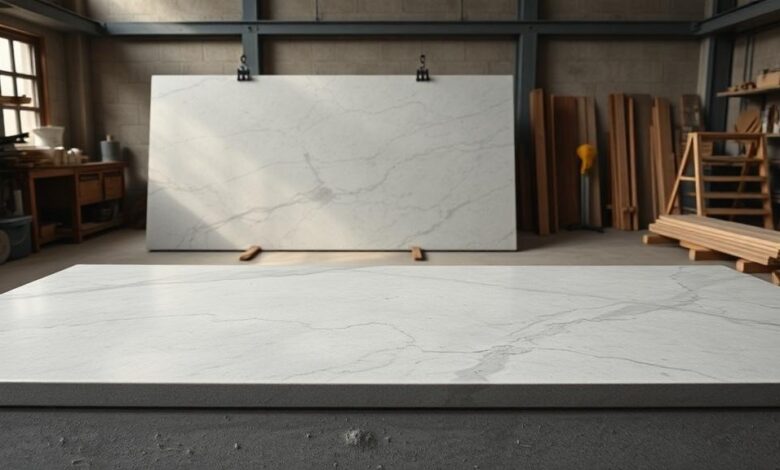
Software is an office-side conversation, but the production floor is where the work happens. Worth remembering: stone fabrication generates respirable crystalline silica dust on any cutting or grinding operation. OSHA 29 CFR 1926.1153 sets the permissible exposure limit at 50 micrograms per cubic meter as an 8-hour time-weighted average. Slabs commonly weigh 600 to 900 pounds at 56 by 120 inches in 3cm thickness, governed by standard vacuum lift and forklift protocols under OSHA general industry standards.
Even if your day-to-day focus is quoting and scheduling, the production floor operates under those standards, and your software should help you track compliance, not ignore it.
When to bring in outside help: Owners weighing major operational changes (platform purchase, equipment investment, multi-location expansion) commonly benefit from a trade-experienced consultant or shop peer review before committing capital. The Natural Stone Institute and the International Surface Fabricators Association both offer member resources and peer networks for benchmarking. Use them.
Frequently Asked Questions
Q: How important is vertical software versus generic ERP? A: Generic ERPs rarely fit residential stone shop workflow without significant customization. Vertical platforms ship with the trade’s workflow built in, which saves months of setup and ongoing workaround costs.
Q: What software is best for a residential stone fabrication shop? A: Slabwise, Moraware Systemize, StoneApp, and ActionFlow are the most cited platforms for residential shops in 2026 buyer research. Best fit depends on shop size and integration needs.
Q: What software works best for multi-location shops? A: Multi-location shops need role-based access, cross-site slab inventory, and location-scoped reporting. ActionFlow and Slabwise are most cited in this segment.
Q: How much does Moraware Systemize cost? A: Moraware Systemize pricing in 2026 runs roughly $159 to $549 per month depending on shop size and modules selected.
Q: How does StoneApp compare to Moraware? A: StoneApp is younger and stronger on CAD integration. Moraware has deeper trade adoption and a broader integration partner network.
Q: How is Slabwise different from older platforms? A: Slabwise is purpose-built for residential and multi-location stone shops with an emphasis on quote-to-install workflow and disciplined onboarding, covering a wider price range ($99 to $799/month) to scale with shop growth.
Q: How long does implementation take? A: Across the major platforms, structured implementation runs 3 to 8 weeks after signing, with data migration typically being the longest single task. Full operational rollout including staff training takes 60 to 90 days.
Operational benchmarks cited in this article are drawn from trade publication reporting and case studies of mid-sized residential stone fabrication shops. Results vary by shop size, market, and operational discipline.